Delete Your Account
How to permanently delete your Lucky Mini Casino account and data
Launch the Game
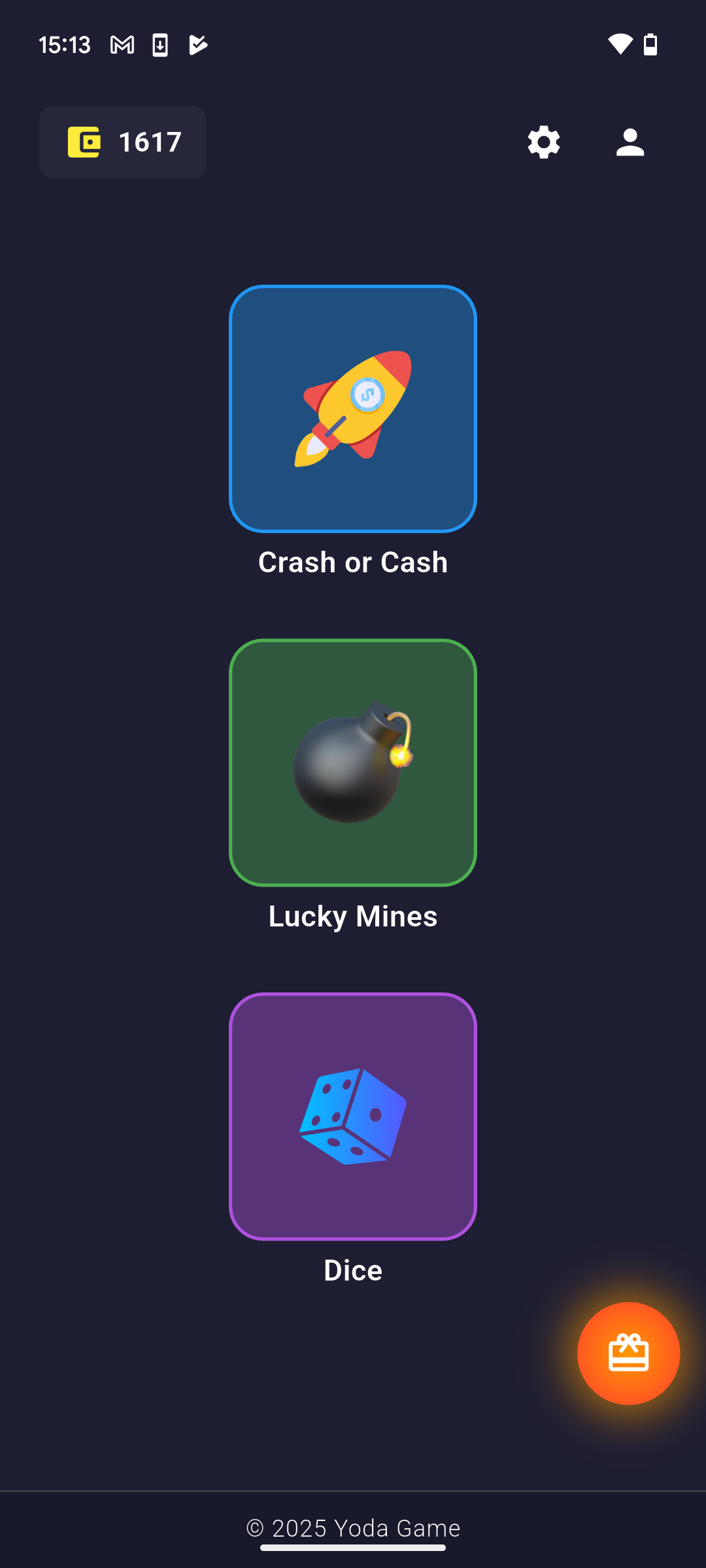
Open the Lucky Mini Casino app on your mobile device. You'll see the main game selection screen with various exciting casino games.
Access Account Settings
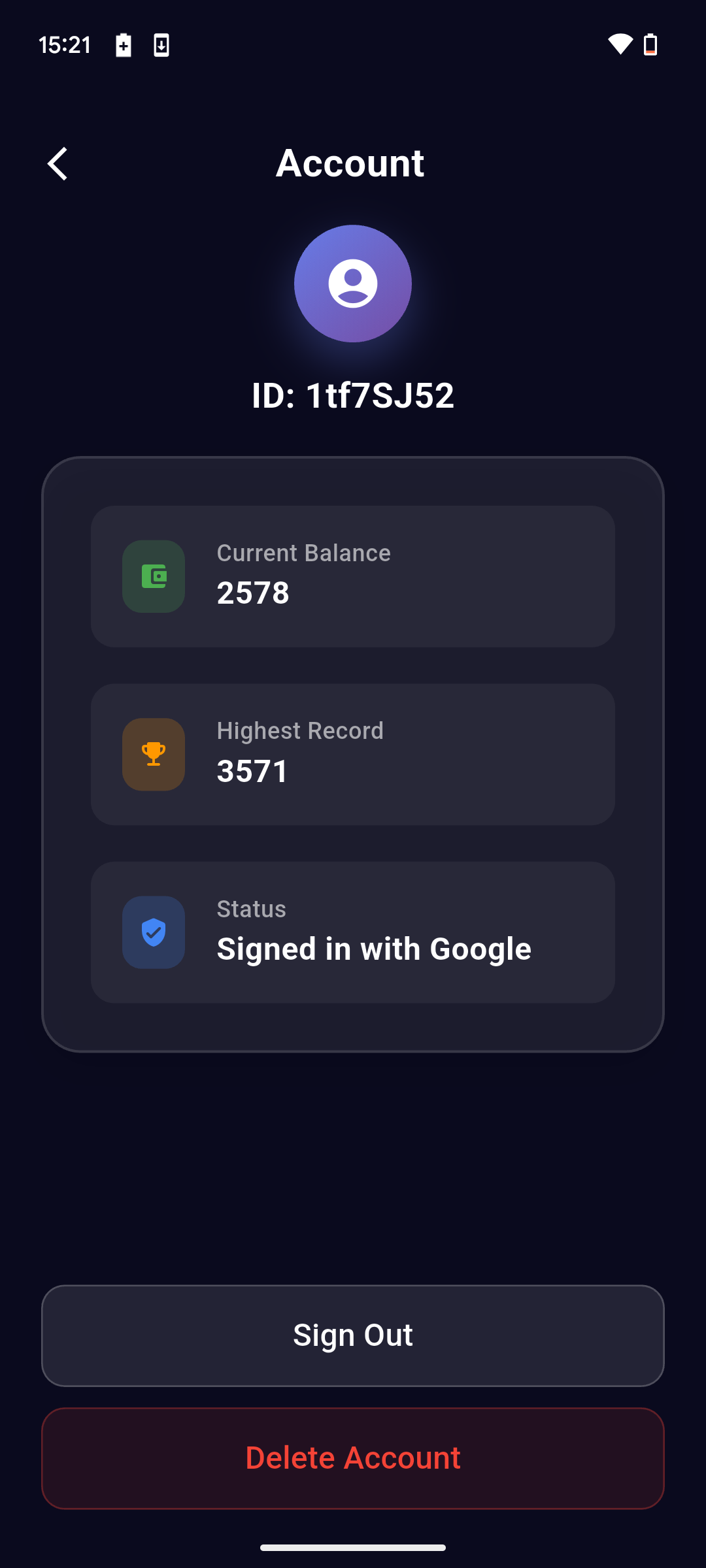
Tap on the profile/settings icon to access your account page. Scroll down to find the red "Delete Account" button at the bottom of the page.
Tap Delete Account
Scroll down to the bottom of your account page and tap the red "Delete Account" button. This button is clearly marked and separate from other account options like "Sign Out".
Confirm Deletion
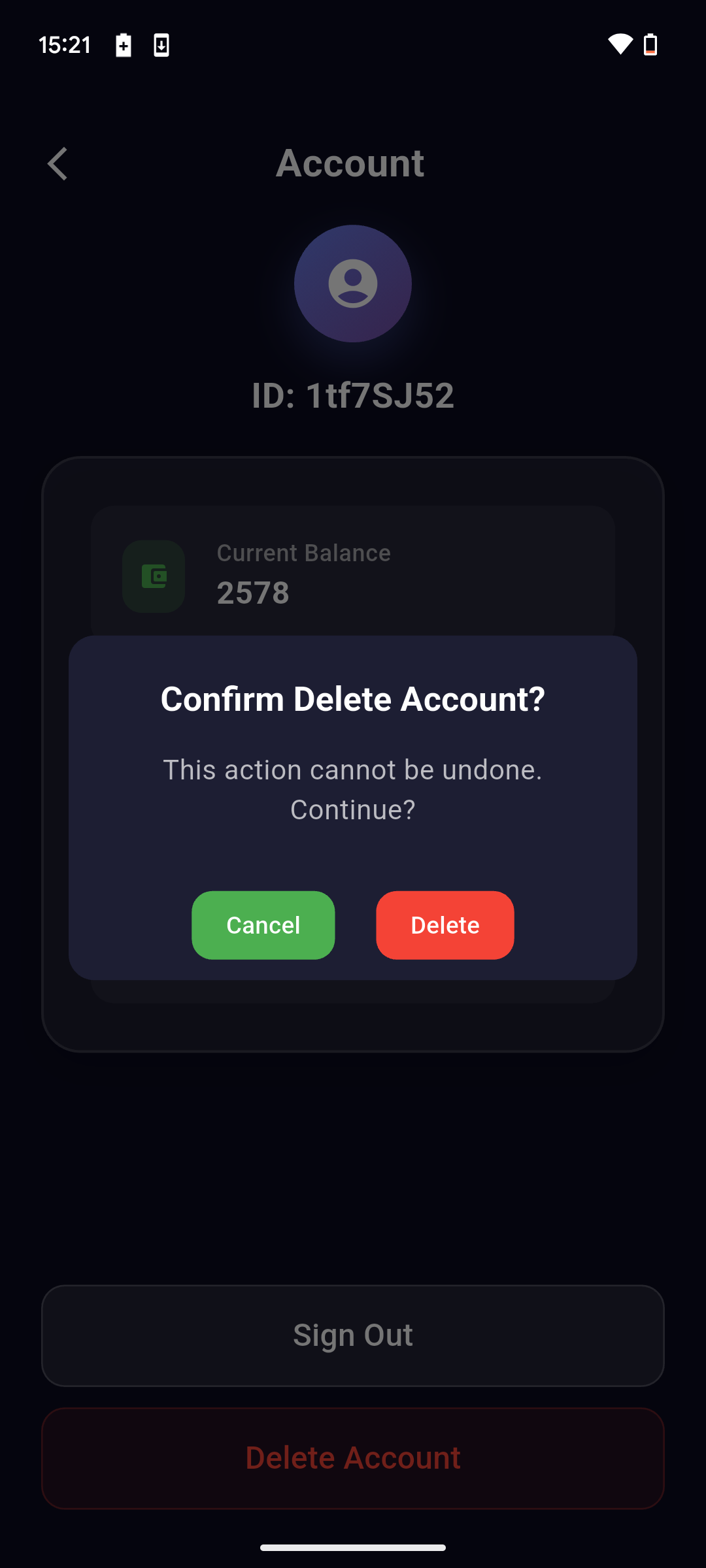
A confirmation dialog will appear asking "Confirm Delete Account?" with the warning "This action cannot be undone. Continue?". Tap the red "Delete" button to permanently delete your account, or "Cancel" to go back.
Important Information
- Account deletion is permanent and irreversible
- All game progress, achievements, and statistics will be lost
- Any remaining virtual currency will be forfeited
- You will need to create a new account if you wish to play again
- Processing may take up to 24 hours to complete
Need Help?
If you're having trouble with account deletion or have questions about your data, please contact our support team: